
A busy entrance reveals the value of good screening: deliveries arrive, staff change shifts, and visitors wait beside the reception desk. An X Ray Security Scanner can help teams inspect bags and parcels without opening each one. Clear images, steady throughput, and straightforward controls matter in these everyday moments. So does choosing equipment that fits the site, rather than buying the largest system available.
Security technologist Bruce Schneier wrote, “Security is a process, not a product.” That principle applies here. A scanner supports a wider security plan; it does not replace trained operators, consistent procedures, or routine maintenance. Before choosing a system, businesses should consider the objects they screen, available floor space, expected volume, image quality, and staff training needs. A compact lobby and a busy loading area may need very different configurations.
The details count. Can the display show small components clearly? Is the control panel practical during a rush? Can staff get timely service when equipment needs attention? These questions help turn technical specifications into daily performance. There is no perfect scanner for every business. And a brochure cannot tell you everything. A site assessment and a realistic demonstration can reveal practical limits that product descriptions may miss. This guide explains how to weigh those factors and choose an X Ray Security Scanner with care.
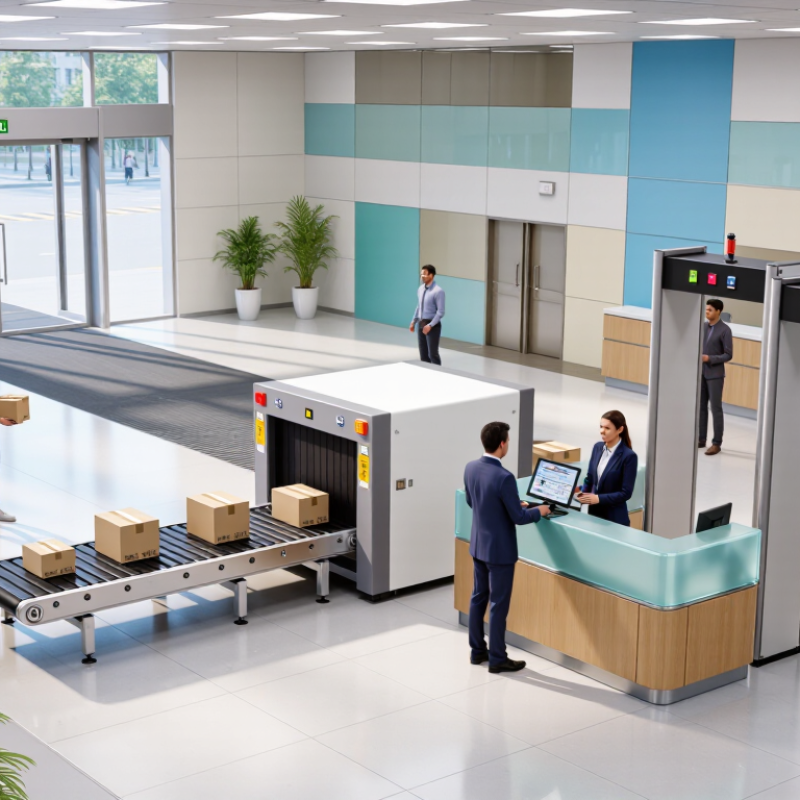
An X-ray security scanner uses a controlled X-ray beam to examine bags, parcels, or other items without opening them. The item moves through a shielded tunnel on a conveyor. As X-rays pass through it, sensors measure how much energy reaches the other side. Different materials absorb energy differently, creating variations in the image on the operator’s screen.
The image is not a photograph. It is a visual map of density and material characteristics, often shown with contrasting colors for easier review. Software can help clarify details, but a trained operator still needs to interpret the display. Small objects may overlap, and dense sections can hide useful detail. The screen can look clear. Interpretation takes practice.
In daily operation, clear conveyor loading and a steady viewing position help produce more consistent images. Staff should also check safety features, keep the tunnel area unobstructed, and follow the equipment’s maintenance guidance. Image quality can change if components drift out of adjustment. A scanner supports a security process; it does not make every decision on its own. Teams should review how well the system fits their space, traffic flow, and training needs.
An X-ray security scanner can address a practical gap: checking bags, parcels, and deliveries without opening every item by hand. At a busy loading dock, staff can inspect a package’s contents before it reaches a storage area. At an event entrance, screening can help teams identify items that need a closer, policy-compliant review. The scanner supports trained staff; it does not make decisions for them.
The need is measurable. The National Retail Federation’s 2023 National Retail Security Survey reported that retail shrink reached 1.6% of sales in fiscal year 2022, equivalent to $112.1 billion. CargoNet’s 2023 supply-chain risk analysis recorded 2,852 cargo theft events, up 59% from 2022. These figures do not mean an X-ray scanner prevents every loss. They show why businesses may want clearer checks at receiving points and controlled entrances. Still, scanners are not a cure-all. Image quality, operator training, maintenance, and a clear escalation process all matter. A rushed review can miss details. That deserves attention. Consider your traffic volume, package types, and staffing before choosing a system; the right setup should fit the actual workflow, not simply look reassuring.
An X-ray security scanner helps staff inspect bags and parcels without opening every item. Inside the image, materials appear in different colors or shades, depending on the system. A tightly packed bundle may look dense, while a small battery can show a distinct shape and position. These visual clues help trained operators notice items that deserve a closer look.
Details matter. A power bank beside tangled cables may be ordinary, but its placement or condition could warrant a second check. Operators compare the image with the item’s outline, review unclear views, and follow the site’s inspection procedures. The scanner supports judgment; it does not make the decision alone. Some materials overlap, and a busy image can be hard to read. That limitation is easy to forget.
Good results depend on practical training, clear image displays, and regular equipment checks. Staff should know how to pause a conveyor, request another view, and escalate an uncertain finding. No single scan catches everything. A calm, consistent review can help identify potentially dangerous items while reducing unnecessary delays for visitors and employees.
| Inspection focus | What an X-ray image may reveal | How this can help | Important limitation |
|---|---|---|---|
| Weapons and weapon components | Shapes and dense components consistent with items such as firearms, knives, or parts concealed inside a bag or parcel. | Supports the identification of objects that may require a closer inspection or escalation to security staff. | An image is not proof of intent or legal status; unusual shapes can have harmless explanations. |
| Explosive-threat indicators | Unusual combinations of components, wiring, power sources, or dense and organic-looking materials that may warrant further assessment. | Can help screen belongings and highlight suspicious configurations for trained personnel. | X-ray screening alone cannot confirm that an item is explosive; follow established response procedures. |
| Contraband and prohibited items | Concealed objects or irregular contents that differ from the expected contents of a bag, package, or shipment. | Helps staff decide which items need additional inspection under site policy. | Screening rules and the definition of prohibited items depend on the facility and applicable law. |
| Concealed or densely packed contents | Overlapping objects, dense regions, and areas where the contents are difficult to interpret in a single view. | Provides an additional view of contents without opening every bag or parcel during the initial screening step. | Overlapping or very dense contents can obscure objects; rescanning or physical inspection may be needed. |
| Material differences | Differences in X-ray attenuation; some systems also provide material-discrimination colors or other image-processing cues. | Can help an operator distinguish broad material categories and focus attention on objects of interest. | Color conventions and capabilities vary by system; material cues do not establish an object's exact composition. |
| High-volume entry or parcel screening | A view of bag or parcel contents as items pass through the scanner, subject to equipment configuration and operating procedures. | Can support a consistent screening workflow at entrances, checkpoints, and receiving areas. | Throughput depends on the scanner, staffing, item preparation, and required follow-up checks. |
| Review and escalation | Image details that an operator cannot confidently interpret or that appear inconsistent with the declared contents. | Creates a practical basis for a secondary inspection, supervisor review, or other response defined by site procedures. | Effective screening requires trained operators, regular quality checks, and clear escalation procedures. |
Note: X-ray scanners are screening tools. Results should be interpreted by trained personnel and used alongside applicable safety procedures.
What to Consider When Choosing a Scanner
Start with the items your business actually needs to screen and the space available for the equipment. Measure the largest routine parcel, including its handle or packaging, then compare it with the scanner’s tunnel opening. A tight fit can slow staff and create awkward handling. Count expected items during your busiest hour, not just an average day. Small details matter.
Image quality and operating speed both deserve a close look. Ask to see representative images on a comparable display, and check whether staff can distinguish common materials without excessive image adjustments. A fast conveyor is useful only if operators can review images at the same pace. Training matters. Try the controls with new users, and ask how long routine instruction takes. A polished demonstration may not reflect a noisy, busy work area.
Consider installation and ongoing support before selecting a model. Check floor space, power requirements, conveyor height, and access for maintenance. Ask about service response times, software updates, and expected routine maintenance. A scanner that fits the budget but disrupts daily operations can cost more over time. If possible, arrange an on-site trial with typical parcels and several operators. Results may vary by item and setup; one test is not a guarantee.
What to Consider When Choosing a Scanner
Compare scanners using your site’s screening needs and verified product specifications. The 1–5 ratings below are illustrative planning scores, not measured industry data or ratings of specific products.
Treat the scanner as part of the workflow, not a machine added beside the entrance. Walk through a typical shift and identify where items arrive, queue, and leave. Place the unit where staff can inspect images without blocking deliveries or customer traffic. Keep it practical. A clear table, marked waiting area, and nearby power access can prevent small delays from becoming daily habits.
Build scanning into written procedures. Train operators to position items consistently, review images carefully, and pause when an image is unclear. Assign a backup operator for breaks and busy periods. The TSA reported screening more than 858 million passengers in 2023, showing the scale that screening teams may face in high-volume settings. That figure describes airport screening, not business scanner performance, but it underlines why staffing and queue plans matter. It takes practice.
Test the setup during a normal shift and a simulated peak period. Record queue times, rescans, equipment downtime, and handoff issues for several weeks. SITA’s 2024 Baggage IT Insights reported 6.9 mishandled bags per 1,000 passengers globally in 2023; that statistic concerns baggage systems, not X-ray scanners, but it illustrates how operational handoffs deserve attention. Small details matter. Review the log with operators and adjust procedures when the same snag keeps returning. A layout that looks efficient on paper may feel awkward at 8 a.m. That is worth revisiting.