
Top 10 Dot Pin Marking Machines for Global Buyers?
Global buyers are paying closer attention to permanent part identification, not merely surface appearance. A Dot Pin Marking Machine creates durable indents on steel, aluminum, and engineered components. These marks support serial numbers, batch codes, logos, and data matrix symbols. They remain readable after painting, heat exposure, and routine handling.
Industry data supports this shift. Grand View Research estimates the global industrial automation market reached more than USD 200 billion in 2023. Its report also projects continued growth through 2030, driven by connected production and traceability requirements. MarketsandMarkets identifies automotive, aerospace, and manufacturing as major users of industrial marking and coding equipment. These sectors demand repeatable marks, controlled depth, and dependable software integration. The numbers are useful, but market reports classify equipment differently. Buyers should not treat every forecast as directly comparable.
This guide reviews the Top 10 Dot Pin Marking Machines for Global Buyers. It focuses on practical criteria, including marking speed, pin durability, controller usability, font flexibility, noise, and after-sales support. In real workshops, a machine may mark a flat chassis perfectly but struggle with a curved casting. That detail matters. I have also considered spare-part access, multilingual interfaces, warranty terms, and sample-test results. No ranking is permanently correct. Production materials change, suppliers improve, and a low-cost model may become expensive through downtime. The strongest choice is the machine that matches the application, inspection standard, and total ownership cost. Reliability should be demonstrated, not simply advertised.
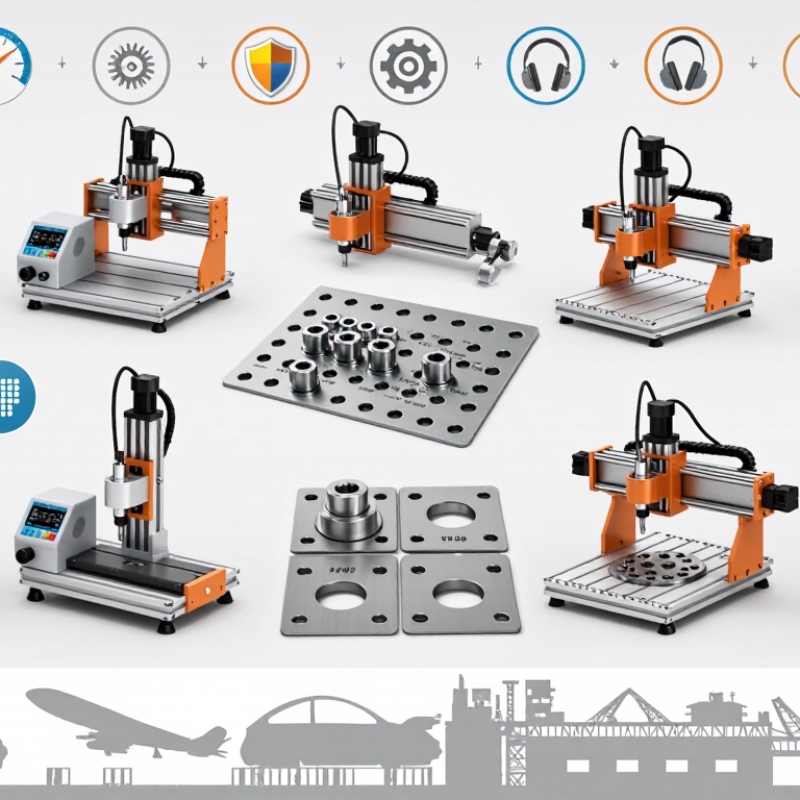
What Dot Pin Marking Machines Are and How They Work
Top 10 Dot Pin Marking Machines for Global Buyers
A dot pin marking machine creates permanent characters through controlled impact points. A carbide stylus moves across the workpiece, striking tiny dots at programmed coordinates. Pneumatic systems suit deeper marks, while electromagnetic systems offer cleaner control and quieter operation.
The process is simple. The result depends on setup. Operators adjust pin force, spacing, speed, and character height for each material. Steel may require stronger impacts, while aluminum can deform under excessive pressure. The machine controller converts text, serial numbers, logos, or Data Matrix codes into dot patterns. A fixture then holds the part steady during marking.
Traceability is driving wider adoption. Deloitte’s 2024 Smart Manufacturing and Operations Survey found that 86% of manufacturers view smart manufacturing as a major competitiveness factor within three years. The World Manufacturing Forum’s 2024 report also emphasizes connected production data and reliable identification across factories. Dot peen marking supports this need without ink, solvents, or frequent consumable replacement.
Still, a readable mark is not always a dependable mark. Poor clamping can distort codes. Worn pins can reduce contrast and depth. Curved surfaces require careful programming and testing. Buyers should check marking force, supported materials, code verification, enclosure design, maintenance access, and software compatibility. These details often matter more than headline speed.
Top 10 Dot Pin Marking Machines for Global Buyers? - What Dot Pin Marking Machines Are and How They Work
| No. | Machine Configuration | Typical Application | Typical Marking Area | Suitable Materials | Typical Speed | Typical Marking Depth | Control and Data Features | Main Buyer Considerations |
|---|---|---|---|---|---|---|---|---|
| 1 | Portable Handheld Dot Peen Marker | Large parts, frames, pipes, fabricated assemblies, and on-site identification | Approximately 40 × 20 mm to 150 × 50 mm | Mild steel, stainless steel, aluminum, brass, and hardened steel with suitable settings | About 2–6 characters per second | Typically 0.1–0.5 mm | Integrated controller; text, serial numbers, dates, logos, and basic data-matrix codes | Low setup time, portability, battery or mains options, and access to irregular surfaces |
| 2 | Benchtop Pneumatic Dot Pin Marker | Small and medium components in workshops and general manufacturing lines | Approximately 25 × 15 mm to 100 × 40 mm | Steel, stainless steel, aluminum, copper alloys, and engineering plastics | About 3–8 characters per second | Typically 0.1–0.4 mm | Touchscreen or keypad controller; programmable text, counters, and date coding | Stable workholding, compressed air, repeatability, and easy operator access |
| 3 | Electric Dot Peen Marking Machine | Facilities that need reduced dependence on compressed air | Approximately 30 × 20 mm to 120 × 60 mm | Aluminum, steel, stainless steel, coated metals, and selected plastics | About 2–7 characters per second | Typically 0.1–0.35 mm | Digital controller with adjustable impact force, marking density, and character size | Electrical supply, impact-force adjustment, maintenance access, and noise level |
| 4 | Deep-Marking Dot Peen System | Permanent identification on automotive, aerospace, tooling, and heavy equipment parts | Approximately 50 × 20 mm to 150 × 80 mm | Carbon steel, stainless steel, cast iron, and other durable metal alloys | About 1–4 characters per second | Typically 0.2–0.7 mm | High-force marking head; programmable impact force, repeat count, and code format | Higher marking force, rigid fixturing, surface access, and slower cycle times |
| 5 | High-Speed Production-Line Dot Peen Marker | Continuous manufacturing, traceability, and automated part identification | Approximately 30 × 15 mm to 100 × 50 mm | Steel, aluminum, stainless steel, and painted or coated metal surfaces | About 5–15 characters per second | Typically 0.1–0.35 mm | PLC, sensor, encoder, Ethernet, serial, and barcode-data integration options | Cycle-time compatibility, automated triggering, communication protocols, and uptime |
| 6 | Large-Area XY-Axis Dot Peen Marker | Long plates, chassis members, structural parts, and multiple-line marking | Approximately 100 × 50 mm to 300 × 150 mm | Steel, stainless steel, aluminum, and cast metal components | About 2–6 characters per second | Typically 0.1–0.5 mm | Motorized X-Y movement; supports multiple lines, serial numbers, and 2D codes | Available footprint, part flatness, support tooling, and travel-axis accuracy |
| 7 | Rotary-Axis Dot Peen Marking System | Cylinders, shafts, tubes, rings, flanges, and other round components | Typically 40–150 mm diameter; length depends on the fixture | Steel, stainless steel, aluminum, brass, and nickel-based alloys | About 2–6 characters per second | Typically 0.1–0.4 mm | Rotary fixture or controlled axis; supports circumferential text and serial coding | Part diameter range, concentric clamping, rotation accuracy, and fixture changeover |
| 8 | Multi-Pin or Multi-Head Dot Marking System | High-volume production requiring dense codes or shorter marking cycles | Approximately 30 × 20 mm to 150 × 80 mm | Steel, stainless steel, aluminum, and other impact-markable metals | About 5–20 characters per second | Typically 0.1–0.4 mm | Multiple marking elements, recipe storage, automatic triggering, and production counters | Higher initial cost, precise tooling, synchronization, and application-specific validation |
| 9 | Safety-Rated Enclosed Dot Peen Cell | Factory environments requiring controlled access, noise reduction, and repeatable operation | Approximately 50 × 30 mm to 200 × 100 mm | Steel, stainless steel, aluminum, coated metals, and selected hard plastics | About 2–8 characters per second | Typically 0.1–0.5 mm | Enclosed workstation, interlocks, fume or debris control, barcode input, and PLC interface | Safety compliance, enclosure size, ventilation, operator ergonomics, and automation scope |
| 10 | Integrated Vision-Verified Dot Peen System | Traceability-critical parts where mark presence and readability must be checked | Approximately 30 × 20 mm to 150 × 80 mm | Steel, aluminum, stainless steel, titanium, and other suitable metal surfaces | About 2–8 characters per second, excluding inspection time | Typically 0.1–0.5 mm | Marking controller combined with camera inspection, code verification, and pass/fail output | Lighting, camera positioning, code contrast, database connectivity, and validation accuracy |
Note: Dot pin marking, also called dot peen marking, creates permanent characters by driving a hardened stylus into the surface to form a sequence of closely spaced dots. The specifications shown are typical application ranges rather than universal limits; actual performance depends on material hardness, surface condition, character size, pin type, impact force, fixturing, and machine configuration.
Related Posts
-
How to Choose a Dot Peen Marking Machine in 2026?
-
What Is Dot Peen Marking and How Does It Work?
-
Why Choose a Part Marking Machine for Global Production?
-
Top 10 Handheld Dot Peen Marking Machines from Chinese Manufacturers at the 137th Canton Fair
-

2023 Ultimate Guide to Best Dot Peen Marking Solutions for Global Buyers
-

Emerging Trends of Dot Peen Engraver Technology at the 138th Canton Fair 2025 in China